Connect your customers’ ticketing systems to yours
Synchronize365 performs automated, bi-directional “eBonding” between your customers’ ITSM ticketing systems and your MSP ITSM platform — so incidents and service requests flow both ways, in sync, without re-keying or phone calls.
See Synchronize365 in action
Get on the same page with all your customers’ ticketing systems — a short look at how Synchronize365 eBonds them to your MSP service desk.
Two ticketing systems, always in step
eBonding links a customer’s ticketing system with their managed services provider’s system in an automated, bi-directional way. Customers raise tickets in the system they already use; those tickets route straight to the MSP — and every update flows back.
No manual re-entry
Customers stop re-typing tickets into a portal or calling the service desk. Tickets related to MSP-managed assets route automatically.
Bi-directional
Works in both directions — including tickets the MSP originates, such as incidents raised by a monitoring system on a threshold alert.
Secure by design
API-based integration over SSL with bearer-token authentication, chosen for the richest, most reliable exchange of ticket detail.
Sits between your customers and your service desk
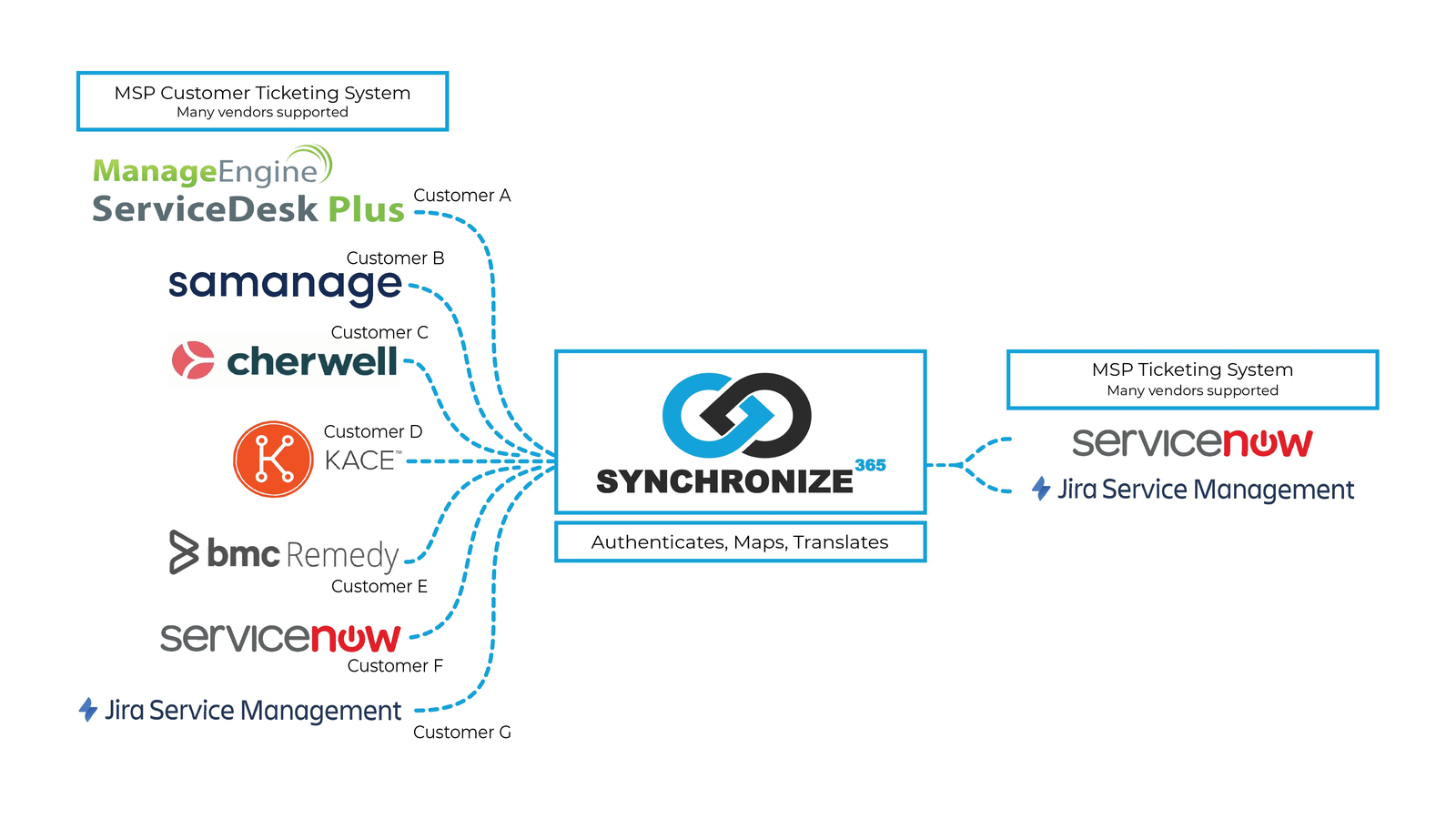
Synchronize365 authenticates, maps, and translates tickets from each customer’s ticketing system into your MSP ticketing system — whatever vendors are on each side.
Ready to eBond your ticketing?
Tell us which ticketing systems you and your customers run, and we’ll show you how Synchronize365 keeps them in sync.
Request a demo →